

the thing about the whole “should old timey narrators count the servants as People” disc
Sep. 15th, 2026 06:32 pm![[syndicated profile]](https://www.dreamwidth.org/img/silk/identity/feed.png) gallusrostromegalus_feed
gallusrostromegalus_feedthe thing about the whole “should old timey narrators count the servants as People” discourse that goes around ( that is, should a person consider themselves Alone if they have servants) is that every time half the examples are like “oh alas would that I had a friend to tell all the hot goss and talk about my feeeelings” and like yeah screw that , your servant doesn’t need to do that free therapy but then the other half of the examples are like “alas that I have no one to tell about the Skull Eating Horror of Knobblington Range, which is coming to eat the skulls of everyone in this curséd abode” and honestly I think those narrators should bridge the class gap there and face a little social awkwardness in favor of avoiding the inevitable Chapter X: The Skull Eater Ate The Servant’s Skull
like there is nuance here
“do you think the servants would believe them about the skull eater” listen. if my boss calls me in to say “ Servant Worker Person, Whatever I’m Calling You, there’s a curséd monster that’s coming in to eat everyone’s skull; truly you should Away” , then I am not staying to find out what the actual dealio is, I’m getting my Character and I am GONE , “you’re gonna die if you keep working for me Ooooor you could Leave” thank you employer I am leaving right now immediately
I like that OP is making sure to get a character reference first.
I feel like I’ve seen the opposite at least a few times, where the narrator writes in their journal that “the Skull Eating Horror circles ever closer now, the estate lies in shambles, all the servants have fled in terror” and the implication is lowkey supposed to be that the servants are cowards for having abandoned their post and leaving the protagonist to fend for themselves but idk, I feel like they’ve got a better handle on the right way to deal with the Skull Eating Horror of Nobbington Ridge than maybe you do mx. narrator
four things make a post
Sep. 15th, 2026 08:25 pm![[personal profile]](https://www.dreamwidth.org/img/silk/identity/user.png) redbird
redbird- The clinic called, and I made appointments for the balance PT (plural, because they wanted to set up the initial/evaluation appointment and the first two follow-ups at the same time.
- We had a pleasant Rosh Hashanah lunch last weekend with Adrian's friend R from the havurah and their partners. A couple of hours of food and conversation before R said they needed a nap. We stopped in briefly at the fundraiser for Allston-Brighton for Palestine that R's partner Peter was helping run next door, and Cattitude bought a small tripod for indoor photography.
- I'm definitely having better and worse days in terms of joint pain and other aches, and taking more naproxen than I'd like, but I've walked at least a mile on four of the last seven days.
- I made a rice pilaf with leftover chicken tonight, which we all enjoyed. I used the (relatively) new four-quart pot with the glass lid, and it worked OK, but not as well as the enamel Dutch oven, so I will probably go back to that next time.
Musing on what throws me out of stories, re: Skyfall and Project Hail Mary
Sep. 15th, 2026 07:22 pmlannamichaelsI have been preoccupied lately thinking about when canons undermine their basic premise, due to things inherent to the premise or at least the plot. ( Of Skyfall and Project Hail Mary and why I can't with either one of them )
Daily Check-In
Sep. 15th, 2026 06:16 pmstarwatcher posting in ![[community profile]](https://www.dreamwidth.org/img/silk/identity/community.png) fandom_checkin
fandom_checkinThis is your check-in post for today. The poll will be open from midnight Universal or Zulu Time (8pm Eastern Time) on Tuesday, September 15, to midnight on Wednesday, September 16. (8pm Eastern Time).
How are you doing?
I am OK.
8 (61.5%)
I am not OK, but don't need help right now.
5 (38.5%)
I could use some help.
0 (0.0%)
How many other humans live with you?
I am living single.
5 (38.5%)
One other person.
6 (46.2%)
More than one other person.
2 (15.4%)
Please, talk about how things are going for you in the comments, ask for advice or help if you need it, or just discuss whatever you feel like.
Day 2065: “Really let our Country down.”
Sep. 15th, 2026 03:59 pmwtfjht_feed
Today in one sentence: The Supreme Court blocked Trump’s plan to limit mail-in voting in the midterms; Trump attacked the Supreme Court over its “bad decision”; FBI Director Kash Patel declined to rule out sending agents to polling places during the November midterm elections; the Congressional Budget Office estimates that Trump’s war with Iran has cost the U.S. about $38 billion, and that it will continue to cost roughly $2 billion to $3 billion a month for as long as the fighting continues; the Senate blocked a cryptocurrency regulation bill that would have established a federal regulatory framework for digital assets; the Kennedy Center’s board voted to immediately close the performing arts venue for renovations after a federal judge again blocked an effort to put Trump’s name on the building; the U.S. confirmed that it has “on-orbit space control weapons” capable of defending American forces; 42% of voters said they trusted Republicans more to handle artificial intelligence; 51% of likely voters said they would vote for a Democratic candidate for Congress in their district in the midterms; 53% of voters consider Trump “corrupt” and 51% say he’s “dangerous”; and 54% of Democratic voters said they’re voting in the midterms mainly to stop Trump and Republicans.
1/ The Supreme Court blocked Trump’s plan to limit mail-in voting in the midterms, saying the administration was “unlikely to succeed on the merits” of its challenge. Justice Brett Kavanaugh wrote that while there was “at least a fair prospect” the Postal Service had statutory authority to issue the rules, applying them this year “would be arbitrary and capricious” because election officials didn’t have “sufficient time to reasonably implement” them. The changes would have required states to submit lists of voters eligible to receive mail ballots and redesign ballot envelopes with unique barcodes, allowing the Postal Service to return noncompliant ballot mail to election officials even though its required online portal wasn’t operational yet. (CNN / Wall Street Journal / New York Times / Washington Post / Associated Press / NPR / Bloomberg / NBC News / Axios / CBS News)
2/ Trump attacked the Supreme Court over its “bad decision” to block his restrictions on mail-in voting, calling the ruling “a big loss for Republicans, and America itself.” He claimed without evidence that it would make cheating on mail ballots easier. “The Supreme Court has really let our Country down!” Trump said, adding that “These are not the people I interviewed to serve on the United States Supreme Court.” After singling out his three appointees – Neil Gorsuch, Brett Kavanaugh, and Amy Coney Barrett – Trump praised Justices Samuel Alito and Clarence Thomas for dissenting, calling them “legends both.” (Associated Press / Axios / CNN / New York Times / Washington Post / ABC News / USA Today / CNBC / Wall Street Journal)
3/ FBI Director Kash Patel declined to rule out sending agents to polling places during the November midterm elections. “I don’t know that we can’t legally do it,” Patel told the Senate Judiciary Committee. Added, however, that the FBI would “follow the law” and that “if there’s a reason to go there, because there’s been a violation of law, we will, otherwise we won’t.” Patel said the bureau would “house our agents and intel analysts in our field offices” and keep election-crime coordinators at all 56 field offices because “election integrity is of paramount importance” and “this FBI is not going to shy away from that effort.” Federal law, however, bars armed federal officers or military personnel from polling places except in limited circumstances. When Sen. Peter Welch asked Patel to pledge that he wouldn’t interfere with voters, Patel replied: “I pledge unequivocally that I will not participate in your charade of lies.” (New York Times / Bloomberg / Democracy Docket / NBC News)
- Kash Patel defended changes to the bureau’s hiring rules that eliminated automatic disqualification for applicants with histories involving prostitution or bestiality, saying the policy was intended to allow trafficking and abuse victims to be considered for jobs. “We did not want to punish victims of bestiality, victims who were trafficked,” Patel said. (Reuters / Associated Press / Washington Post / Axios / The Guardian)
4/ The Congressional Budget Office estimates that Trump’s war with Iran has cost the U.S. about $38 billion, and that it will continue to cost roughly $2 billion to $3 billion a month for as long as the fighting continues. The nonpartisan budget office also expects the war to add about .05 percentage points to inflation in the first quarter of 2027 due to disruptions to oil and natural gas shipments through the Strait of Hormuz and the Red Sea. The CBO report blamed the war for more than 40% of inflation during the second quarter of 2026. The Pentagon, however, didn’t provide information requested by the CBO, which acknowledged that the missing data limited its analysis and excluded the cost of repairing damaged U.S. bases. (Politico / Bloomberg / New York Times / NBC News / Wall Street Journal / CNN / ABC News / CBS News)
5/ The Senate blocked a cryptocurrency regulation bill that would have established a federal regulatory framework for digital assets. The Clarity Act, which would have divided oversight of digital assets between the SEC and CFTC, failed to clear the 60-vote threshold after every Democrat and several Republicans opposed advancing it. Democrats argued that the revised ethics provisions still didn’t do enough to prevent Trump and other federal officials from profiting from crypto holdings while overseeing policies that could affect their value. Last year, Trump reported more than $1.4 billion in income from crypto ventures. And in 2024, the crypto industry spent more than $130 million in congressional races to elect pro-crypto legislators. (Associated Press / Politico / New York Times / Axios / Wall Street Journal / Bloomberg)
6/ The Kennedy Center’s board voted to immediately close the performing arts venue for renovations after a federal judge again blocked an effort to put Trump’s name on the building. U.S. District Judge Christopher Cooper ruled that the board “cannot install memorials for President Trump or anyone or anything else at the Kennedy Center without Congress’s blessing.” Trump, meanwhile, threatened that “the Reconstruction and the Renovation of The Kennedy Center will not take place” unless his name is on it. He also claimed the center was in a “virtual state of collapse,” called Cooper “very hostile and conflicted,” and said he raised $17 million that’s been deposited into the center’s account “to keep it afloat.” (CNN / Washington Post / Politico / Bloomberg / NBC News / New York Times / CNBC)
7/ The U.S. confirmed that it has “on-orbit space control weapons” capable of defending American forces. The Space Force said the weapons can be used for “offensive and defensive purposes.” China, meanwhile, accused the U.S. of “preparing for war in outer space” and warned against an arms race, while Russia called for space to remain “free of any weapon.” (The Guardian / NBC News / CNN / ABC News / Washington Post / Associated Press / CBS News / CNBC)
poll/ 42% of voters said they trusted Republicans more to handle artificial intelligence, while 40% said they trusted Democrats more. 61% of likely voters said they oppose construction of data centers for AI, including nearly 80% of voters under 30. (New York Times)
poll/ 51% of likely voters said they would vote for a Democratic candidate for Congress in their district in the midterms, while 43% said they would vote Republican. 57% of independents said they planned to vote Democratic. (New York Times)
poll/ 53% of voters consider Trump “corrupt” and 51% say he’s “dangerous,” while 18% called him “steady.” (Axios)
poll/ 54% of Democratic voters said they’re voting in the midterms mainly to stop Trump and Republicans, while 46% said they’re voting to help Democrats enact their agenda. (CBS News)
The 2026 midterms are in 49 days; the 2028 presidential election is in 784 days.
- Today last year: Day 1700: "im sorry for all of this."
- Four years ago today: Day 604: "Big problems."
- Five years ago today: Day 239: "Democracy can be sloppy."
- Six years ago today: Day 1335: "Forthcoming."
- 9 years ago today: Day 239: Sick and demented.
Support today’s essential newsletter and resist the daily shock and awe: Become a member
Subscribe: Get the Daily Update in your inbox for free
vital functions
Sep. 15th, 2026 10:01 pmkaberettReading. There was An Event, and unsurprisingly I did not alas finish Proto before it went back to the library. There is a Significant queue for it, and it's £4.99 in ebook, so I am contemplating simply buying a copy of my own so I can have the maps that begin each chapter up on the laptop and the actual words on my ereader...
Playing. ... Color Bus Trip continues.
Admin: the LRP.
Cooking. Very little, on account of Being In A Field.
Eating. Realised! I could get the crêpe place! to make me a savoury crêpe I wanted to eat! and promptly had two of them within twelve hours (plus the sweet one I originally went for with dinner).
What were my other highlights. Hmm. The Quaker Protein Porridge pots were remarkably acceptable, to the point that I was a bit sad when they ran out (having had Oats Without Sugar I was feeling surly about going back to the Added Sugar). Blackberries out of the hedgerows (not my favourite flavour thereof). Yuley's has changed the pizza bases they're using and I think I prefer the new ones?
Making & mending. Restrung a bracelet for a friend/team member! After my first several failed attempts to tie a knot with Stretch Magic I did a lot more pre-stretching, and now they seem to be holding! (And there's two of them, and two lengths of the cord holding the beads, so hopefully if catastrophic failure ensues it will do so slowly enough that none of the beads vanish...)
[ SECRET POST #7193 ]
Sep. 15th, 2026 05:08 pmcase posting in fandomsecrets⌈ Secret Post #7193 ⌋
Warning: Some secrets are NOT worksafe and may contain SPOILERS.
01.

( More! )
Notes:
Secrets Left to Post: 01 pages, 20 secrets from Secret Submission Post #1026.
Secrets Not Posted: [ 0 - broken links ], [ 0 - not!secrets ], [ 0 - not!fandom ], [ 0 - too big ], [ 0 - repeat ].
Current Secret Submissions Post: here.
Suggestions, comments, and concerns should go here.
Nice day
Sep. 15th, 2026 09:54 pmcosmolinguistI had a good day at work -- did a site visit this morning, had some good conversations that have real potential (if the person who is gatekeeping their contact details actually connects me up, anyway!).
It was literally just off the bus I normally get into town, could not have been an easier commute! Even in the torrential rain that I was greeted with when we left, it wasn't bad at all.
I'd slept really poorly last night though: maybe four hours, not all at once, and I still woke up before my alarm. So by the time I got home I was so sleepy. But I made it through my one other meeting this afternoon -- a regular check-in on a big project -- and I didn't just go through the motions, I actually paid attention and volunteered for tasks and did things, I realized a very annoying clash before it happens on Thursday and got my fellow LGBT+ co-chair to cover for me, which also gave me a chance to catch up with them (they've had a bad time lately, health stuff and then the illness and death of their last living grandparent) so it was nice to have a fun and "normal" conversation with them and luckily they're able to save my butt when I stupidly allowed myself to get double-booked...a few other nice little satisfying bits, along with the bigger stuff.
I'd booked a grocery order this afternoon, so D and I dealt with that too. And after work I tried to do some of the chores I didn't manage yesterday: I now have a thing I never thought I'd get, which is online access to my USian bank account (the bank isn't called Farmers State Bank any more but that's about the level of modernity I'd always expected from them). And I got a haircut!
I didn't get my passport renewal mailed off, but that's partly because I thought I might need the old passport, which I had to include of course, as ID for the bank thing. Now that that's sorted out, I can take it to the post office tomorrow.
Guardian Wishlist
Sep. 15th, 2026 10:18 pmtrobadoraguardian_wishlist are trickling in! It's so fun to watch it happen. :DAnyway, I just realised I totally forgot to post about my wishlist over here, so let's remedy that!

Trobadora's 2026 wishlist:
- Guardian (drama): Shen Wei/Zhao Yunlan, Ya Qing/Zhu Hong, Shen Wei & others (such as Chu Shuzhi, Da Qing, Ye Zun, Ya Qing, etc. etc.), worldbuilding
- Guardian RPF: Zhu Yilong/Bai Yu
- Guardian/Grimm crossovers/fusions
And everyone else's wishlists are full of even more delicious prompts! I'm still struggling with my own writing, but I'm hoping to finish a few gifts next weekend. Anyone else working on something? Cheering you on!
Laser gems
Sep. 15th, 2026 07:15 pmaiweirdness_feed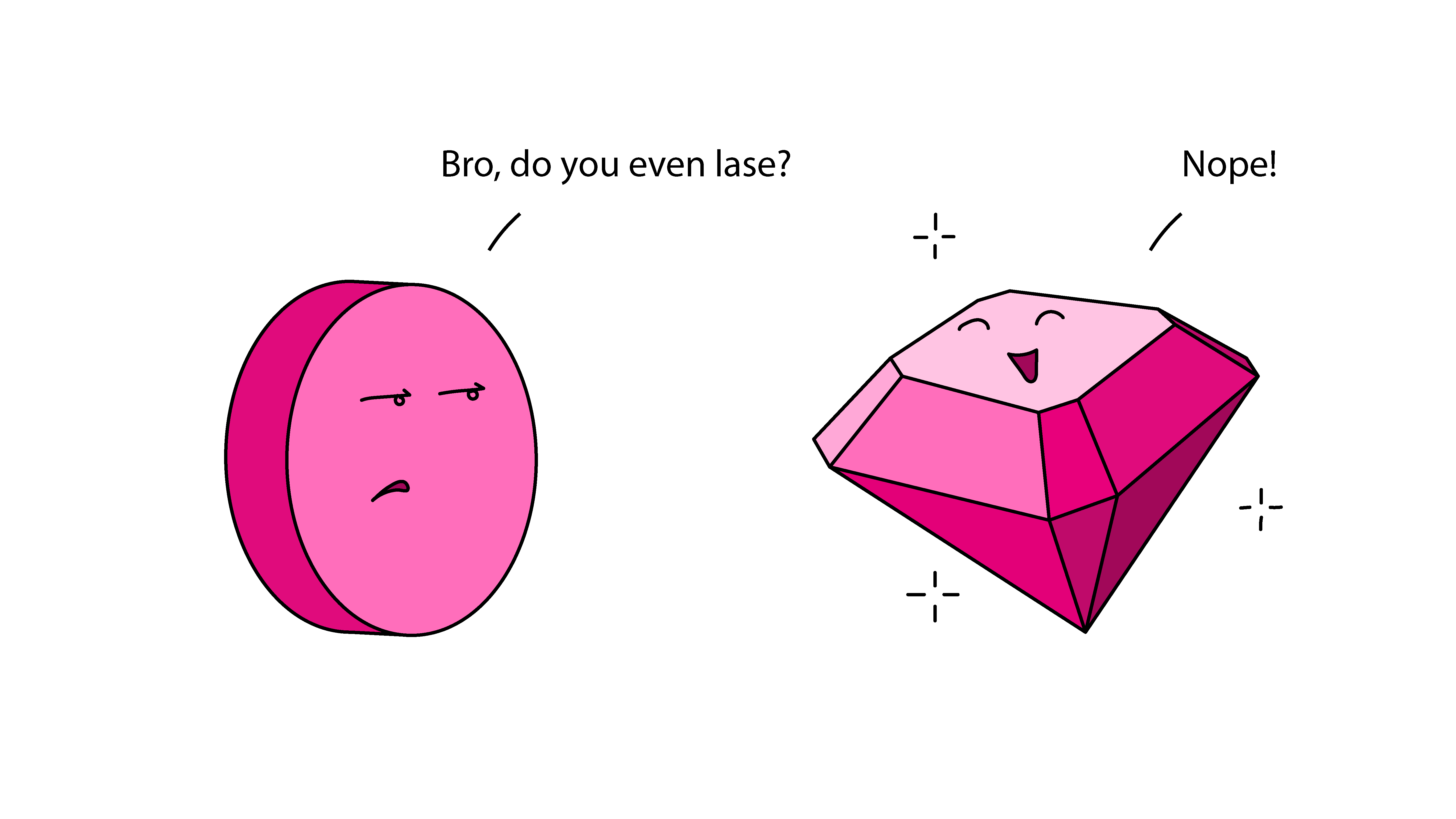
Some lasers are made from lab-grown gems, like specially-formulated ruby, garnet, or sapphire. When used in lasers, they're cut like plain cylinders. But they have all the hardness and brilliance of jewelry-quality gems, which means you can mess around with them if you like...
As a laser scientist I think this is pretty much the coolest thing ever. As they explain, they start with the crusty, bubbly rind of a lab-grown titanium sapphire crystal that's left over after the researcher got the laser-quality material out of the middle. That crusty laser rind is still sapphire, though, and polishes up beautifully into a pretty pink gem not found in nature.
What's particularly fun about this is titanium sapphire is like the Ferrari of laser gems, a high-end research crystal that can make incredibly short pulses of light. The short pulses are useful for high-precision timekeeping and quantum research, and can help researchers see through skin (only about a millimeter, but that's still useful for things like detecting skin cancer). I've used titanium sapphire lasers in the lab before. A whole table-sized laser usually just has a tiny pea-sized chunk of titanium sapphire crystal in it. And let me tell you, we would never be allowed to pick it up and turn it around in our hands and wear it around our necks. Voids the warranty, for sure.
I basically want the entire laser gem collection from gems of science, and they did not pay me to say this.

Which would be your laser crystal power gem?
The ACS Redesign
Sep. 15th, 2026 03:03 pmin_the_pipeline_feedEdit: the RSS feeds are back! I don't know why this couldn't have been done when the new web page designs rolled out, but you can find the feed addresses here. I'm also not sure why no one there got around to telling me (and many others) about this, but I am glad to have the functionality back. A longtime Pipeline reader just alerted me to this.
But I'm not sure it's all back! At least in my reader (NewsBlur), the graphical abstracts are not displaying, which is not the idea, guys. I'd be glad to hear from other people using other software: are these feeds working for you? Can you see the entire abstracts? Because if not, that just barely counts as working. . .
Below is the post as I wrote it this morning, for reference:
Just time for a quick note today, and it’s going to be a complaint. I have not covered any interesting papers recently from any of the ACS journals, but I’m sure that it’s not because they haven’t published anything worth reading. It’s because I (and many others) use RSS feeds to browse these journals, and the recent redesign there broke every single feed.
I wrote to complain about this, and got a rather generic response about how they are aware of this issue and how it has been brought to the attention of the appropriate technical team. At this time, they inform me, they are unable to provide an estimate of when this issue might be resolved. And so on. I can’t help but think that a journal web site had to have been completely aware of what an RSS feed is and how it’s used, and that breaking it was not some casual oversight. They appear to have had a reason to do this, so the “Oh, is something not working? Let’s get someone looking at that for you” type of reply is not exactly believable.
Presumably they want All The Traffic to come directly through their sites, with none of this browsing abstracts from afar. But this is idiotically short-sighted. I am not going to make separate trips to all the ACS journals I used to follow by RSS in order to across through them manually (and what’s more, their ASAP pages have been altered to make them less usable as well). Not when I used to have everything in one place.
“Enshittification” is the word for this sort of thing. And if the ACS was not trying to enshittify their journal-reading experience, I wish someone would send me something other than a form letter explaining what the idea was behind destroying the RSS functions. Can’t wait to hear it.
You'll notice that I'm not even complaining about the loss of the old ACS logo and its replacement by something that looks like a sign for an airport hotel. I already suggested on Bluesky that if they'd get the RSS feeds working again that they could go all the way to having Chthulhu holding an Erlenmeyer flask and I'd be fine with it, and I see that now you can buy a mug with that design. Not official ACS merchandise, I hastily add. Fine by me!
[Chat] It's Almost Time!
Sep. 15th, 2026 05:15 pmquillpunk posting in booknookSoon, it's time for the 2026 October Review-A-Thon (sign-ups still ongoing!).
How are we feeling? Have you decided what book(s) you're reviewing? (I have not, orz.) Do you have your review ready or will you be pantsing it on the spot? Any other thoughts? 👀
I give my team gift cards — but they don’t use them
Sep. 15th, 2026 05:59 pmaam_feedA reader writes:
I’m a manager who has what I’d thought was a generous habit: often when someone on my team hits a milestone, ends a difficult project, or just seems like they could use a morale boost, I give them gift cards (to coffee shops, restaurants, bookstores, etc.). I figured everyone likes free money.
But apparently I was wrong because I’ve realized that some people on my team barely use them. I know this because a few people have made comments like, “Oh, I still have that gift card you gave me” and I checked the balance of some of the gift cards where I had the access to do it and a lot of them haven’t been used.
I don’t need them to throw me a parade, but it does hurt to think these aren’t appreciated and are maybe seen as just clutter. Should I stop giving them? Ask people why they aren’t using them? Something else?
I think they probably are appreciated — at least as a visible token of your appreciation, even if they aren’t that excited about using the cards themselves. Some people, though, just aren’t gift card people — they forget them have them, don’t keep track of them, etc. It’s also possible that they don’t buy much at the particular stores the cards are for and don’t want to go out of their way to get something they don’t need. Or they may be holding on to them for when they’re really needed.
But it’s also fine to stop giving them if it’s making you feel bad! And in general when you give gifts, it’s best not to attach any expectations of exactly how they’ll be used. Once something is given, part of the spirit of the gift is that you have to relinquish control over it; the other person gets to decide what role it plays in their life from there.
That said, I do think there’s room to say to your team as a whole, “Is there something people would like more than gift cards, in a similar price range? I want to make sure I’m appreciating you with something you actually want.” In doing this, be careful not to complain about the cards going unused — that would make the gift cards feel like an obligation and like these appreciation gifts come with strings. But it’s fine for a manager to say, essentially, “I want to make sure I’m appreciating you in ways that you actually like.”
The post I give my team gift cards — but they don’t use them appeared first on Ask a Manager.
representative
Sep. 15th, 2026 05:58 pmhopetantrum_feeda word for word real story from yesterday #TerribleComicTuesday is a hashtag that's been taking off on Bluesky lately, and so long as I don't make a full page like this, I can get this done quickly, keep working on the book the rest of the day, and maybe update here more often?
Next up, someone will invent pleasure-read-maxxing, no?
Sep. 15th, 2026 07:16 pmoursinChuffed as I am (natch) at this intelligence:
- and the effects are not dependent upon its being Grate Litrachur -
I do wonder whether someone will desperately try to incorporate Fun Reading into the Self-Improvement Grind, sigh?
Though the whole 'pleasure' angle is slantwise to that message.
Do we suppose that all those guys who were 'raw-dogging' plane flights to prove how hard they were will now be reading instead, because It's Good For Them? (this can only be a good thing, really).
Though I am immensely heartened at something that gives pleasure is accorded the accolade of Being Good for Health and Wellbeing -
- yet I daresay yer MachoMaxxers will have nothing to do with it, pleasure is for the weak (better mental health and empathy, pah!).
I'll be over here with my nose in a book.
my boss is always late to meetings
Sep. 15th, 2026 04:29 pmaam_feedA reader writes:
I’ve been at my job for about three months. My department has six people, including the department head. We have a weekly meeting scheduled for Monday at 11am (our standard office hours are 10am-6pm).
Since I started, the department head, John, has never been on time to this meeting once. Typically, he’ll send an email sometime between 10:55 and 11:15 letting us know he will be in at 11:30, and then he walks in anywhere from 11:30-11:45. Sometimes he’ll send an email rescheduling the meeting for 12 or 12:30, but he is sometimes late even to that meeting. Sometimes we don’t get an email at all, and he just arrives at 11:15 or later. He always apologizes for being late, but in a very perfunctory way.
We can’t start the meeting without John, so every Monday at 11, the rest of us gather in the conference room and wait. Sometimes if the meeting is rescheduled significantly, we’ll disperse and come back later, but most often we just sit there and wait for him.
I find this whole dynamic very irritating and it makes me feel like my time is being disrespected. I’ve floated my concerns to my colleagues, but it seems like everyone else enjoys using this time to catch up socially, with one person saying this is the best part of their week.
I get the sense that I might have a higher workload than my colleagues, but it could be that I’m still adjusting to the new job. On high-pressure days, I’ve started bringing my laptop to the conference room so I can do work while we wait, but it makes me feel like an anti-social weirdo since no one else does this.
Plus, this fall I’ll be supervising a college intern and I’m already starting to stress about how to explain this dynamic to her. Even if I decide there’s nothing more I can do, I don’t want her to come away with the impression that this is just how workplaces are.
I’ve brought all of this up gently with my direct manager (who reports to John). She let me know that John is recovering from a recent surgery, and that she expects the issue will resolve itself when he’s fully recovered. However, I talked to a different colleague who told me that while this issue has been more egregious in the last few months, this general pattern has been going on for at least a year.
Is there anything else for me to do or do I just have to accept this weirdly entrenched dynamic? I feel like a stick in the mud for being the only person bothered.
(A side note that may not be relevant but adds to my frustration: John is a man in his 60s and the rest of us are women in our 20s and 30s.)
You can read my answer to this letter at New York Magazine today. Head over there to read it.
The post my boss is always late to meetings appeared first on Ask a Manager.
Hellraiser: Resurrections - The Onanistic Ritual
Sep. 15th, 2026 06:13 pmshakalooloo posting in scans_daily
This second of five September-releasing Hellraiser one-shots isn't as good as the first. It's not bad, but in some places trhe art did require me to look a few times to realise exactly what was going on in-panel, and the story doesn't break any new ground.
Besides making everyone go to look up what 'onanistic' means, it does build on something mentioned in the first issue, which does make me wonder.
Trigger warning for incel bullshit.
( Read more... )
CD alarm clock died again
Sep. 15th, 2026 10:14 amelfIt's... old. At least 15 years, maybe 20 or more.
I bought a replacement at Amazon and it didn't work (and I was well past the return time by the time I tested it). The CD player just flat-out didn't play. I'm currently coping with an hour of radio time instead of my wake-up CD. Not happy about that; morning music radio is rare, and the reception in my room isn't great. My options are limited. KOIT 96.5 is tolerable, but last time this happened, I got bored with their music in a few days. (Which is surprising, since my wakeup CD is exactly the same songs, every morning - but I chose those. I like waking up to "Good Morning, Starshine" every morning.)
1) Recommendations for a CD-playing alarm clock are very welcome.
2) Recommendations for a way to play 1 hr (ish) of my choice of music as an alarm also welcome. Finding an app that will do this may not be viable; I tend to keep my phone on silent except for alarms & phone calls. (Because too many games have annoying music that won't turn off.)
( Not happy with the enshittification principle )